
Manuscript writing software
A focused manuscript editor with the story still close by.
Planning is valuable until it becomes visual noise. The manuscript editor gives the draft a quiet surface while keeping chapters, goals, and the rest of the book close enough to reach when needed.
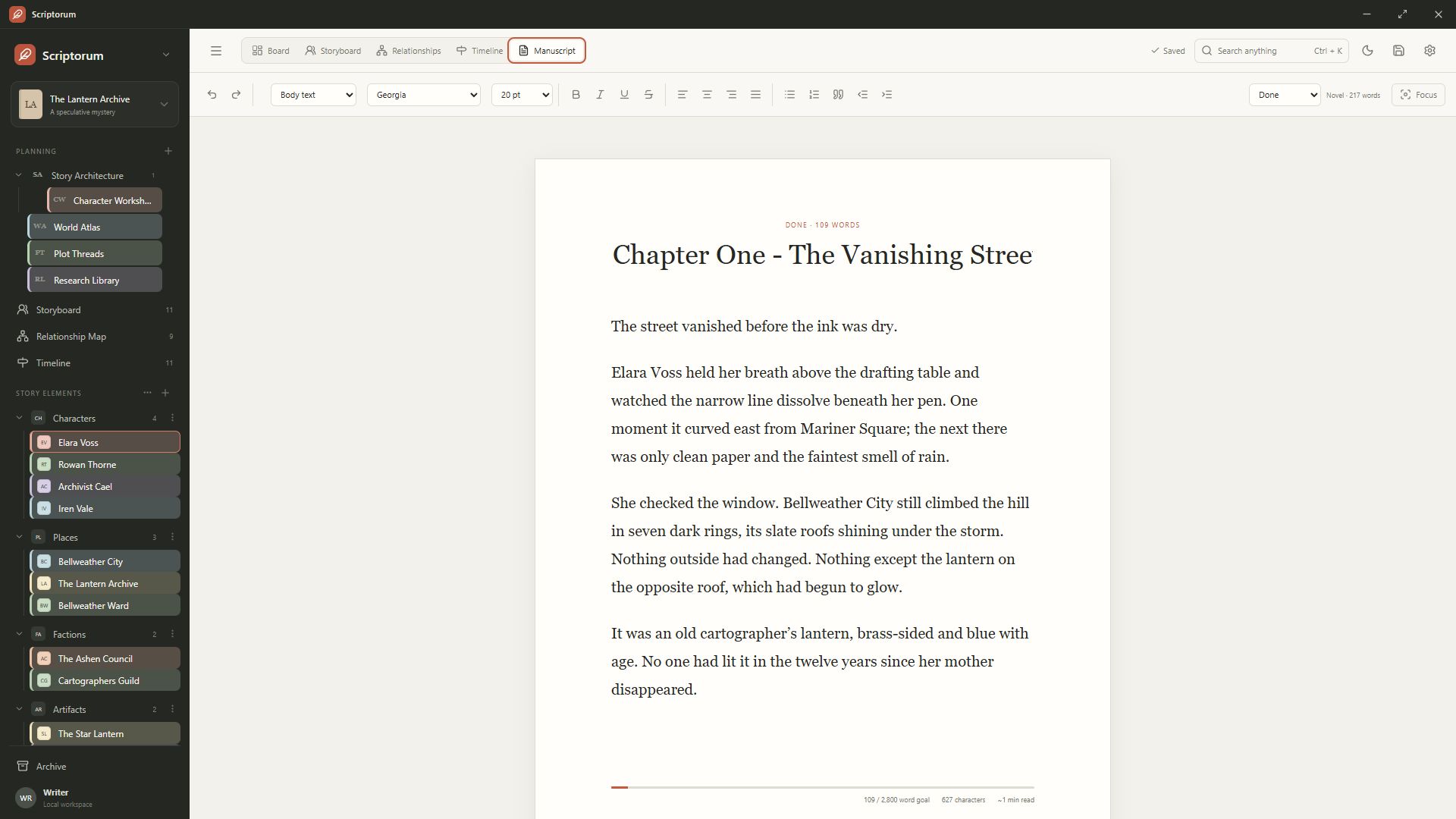
Draft chapter by chapter
Create and organize chapters from the manuscript navigation, then write in a rich-text editor with familiar formatting, system fonts, word counts, and chapter goals. Focus mode removes surrounding workspace controls when the page needs your full attention.
Configurable commands let frequent actions follow your keyboard habits. Manual save, search, text formatting, and workspace navigation remain available without forcing a fixed shortcut scheme.
- Chapter navigation
- Rich text and system fonts
- Writing targets and word counts
- Distraction-free focus mode
Use the language tools you choose
Scriptorum uses native spellchecking for editable text. Manuscript content remains exactly what you type and is not translated with the interface. Writers can turn spellchecking off when deliberate spelling, dialect, names, or capitalization make highlighting distracting.
ProWritingAid Desktop Everywhere recognizes the rich-text manuscript surface and can provide its floating editing overlay. Writers retain control over when that external tool is enabled.
Keep revision connected to planning
The manuscript belongs to the same local book vault as characters, relationships, timelines, and planning boards. Search across the vault, follow relevant references, and return to the chapter without maintaining parallel copies of the project.
When the draft is ready to leave the workspace, use the shared compile workflow rather than copying chapters into a separate document one at a time.
Common questions
What writers usually ask.
Can I turn off spellcheck?
Yes. Spellcheck and spelling-error highlighting can be disabled from Scriptorum's settings.
Does ProWritingAid work inside Scriptorum?
ProWritingAid Desktop Everywhere has been confirmed to recognize the manuscript editor and display its overlay there.